|
RegSoft

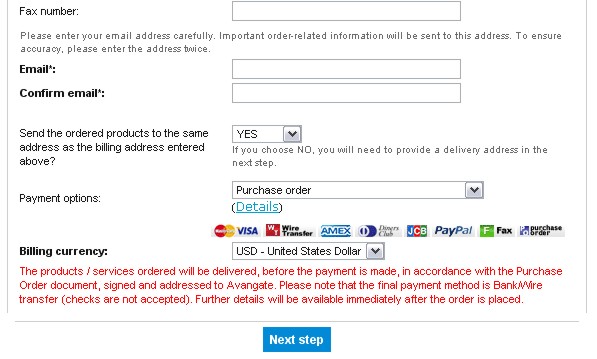
The purchase order option is provided at the top of the
order page. Select this option and enter the order details.
Once completed, an invoice and payment instructions will be
delivered via email so that payment can be sent. Once paid,
the order will be processed and product delivery completed.
ShareIt

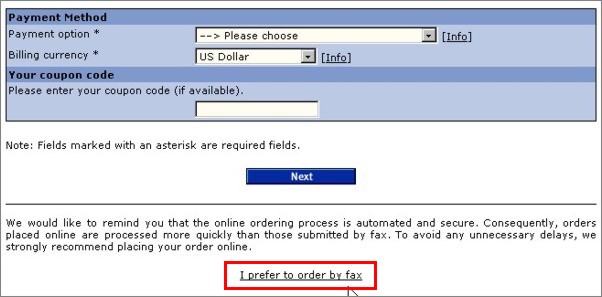
On the first page of the order form there is
a link "I prefer to order by fax".
By follow this link you can enter all your
data, including payment, in a fax form which can be printed,
stamped, signed and sent by fax.
More info:
http://www.shareit.com/ccc/index.html?cccid=[DASID_6004]
RegNow

If you have not done so, please go online and begin
an order, and select "Purchase Order" as the payment
option. If the payment option is available, it will be
listed above where any billing details would be entered.
Once the order has been entered into our system, you
will be provided with instructions for payment.
Please make your Purchase Order out to "Register Now!"
Be sure to include the following:
Quantity, Price, Name of product and Product ID
Contact name for your company
Billing address, phone number, and fax number
E-mail address for the confirmation email and
registration details to be delivered to
Please note:
If the product is to be registered in a name other than
your company contact name, please be sure to include the
name the product should be registered to. Also, if your
order includes a physical shipment and the shipping
address is different from the billing address, please
include
the shipping address as well.
Register Now! has an additional $10.00 purchase order
processing fee separate from the cost of the product
that needs to be included in your purchase order total.
Sales tax needs to be included for WA and MN. If you are
in WA or MN and are tax exempt, please attach proof of
your tax exemption.
You may either fax your order in to us (toll free in the
US and parts of
Canada) at 1-800-442-3172 or our direct dial number is
1-952-646-5604.
|