|
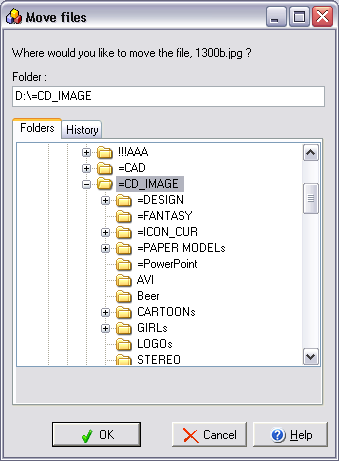
Clicking File | Move or File | Copy will bring up a dialog box
allowing you to move or copy the selected file(s) to a new
folder.
You can either type in a
destination folder, press browse to locate a destination folder, or
click on one of the folders displayed in the history list.
Displaying of Recent Folders or
Favorites
In the area below the
destination folder you are presented with a list of folders to
expedite folder selection. You can choose whether Photo Slide
Show should display the folders you have most recently moved/copied
files to or your list of favorite folders (from Folders mode).
Confirm
file replace dialog
|


